Myzone Belt - How to Use it and Take Care of it
Altona North Training is the best Strength & Conditioning Gym in Melbourne's West. We offer no lock in memberships and over 35 classes every week.
About half of our ANT’ers are already using a MyZone heart rate belt during their workouts. How great are they?!
They’re motivating and help you push harder in your workouts. If you’re curious about how MyZone works, or need a refresher on using yours, read on!
WHY USE A MYZONE BELT?
A MyZone belt gives you real-time feedback on your workout - not only motivating you during but giving you a sense of accomplishment afterwards. It also provides more connection with your fellow ANTers on the MyZone app - scroll through everyone’s workouts, and like and comment to provide encouragement(and receive encouragement too!). You can use your MyZone for various tracking purposes too - like balancing your weekly training load between high intensity and lower intensity workouts, or tracking energy output so you can balance it with your food intake.
HOW TO WEAR IT?
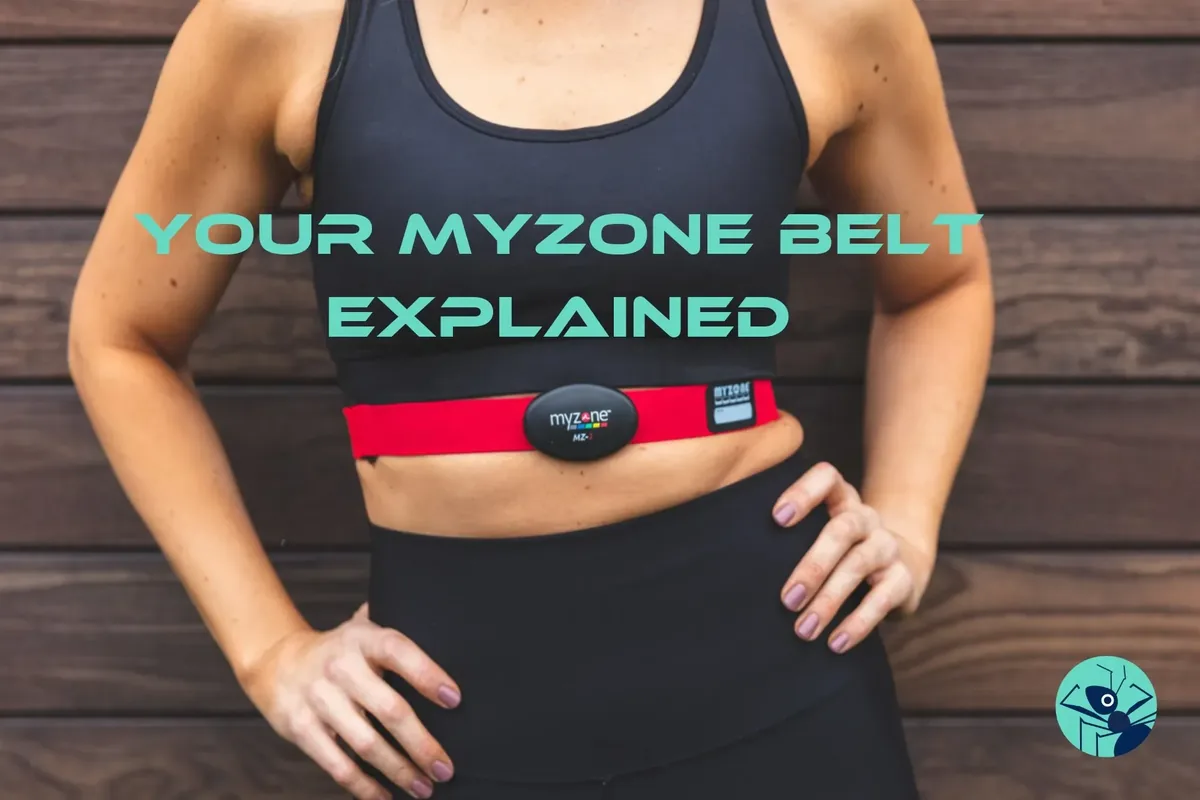
Your MyZone consists of a small black device and a red strap. You wear the strap around your chest (or with the MyZone Switch you can put it around your wrist) and then attach the device (make sure it’s not upside down!). The strap must have contact with your skin, and make sure the strap is tight against you so it doesn’t slip during exercise.
For women, a good guide is to pop the strap under the bottom of your sports bra. The device should beep once when it connects, and three times when it disconnects. Take the device off the strap after each use (leaving it connected can drain the battery).
HOW DO I CLEAN IT?
Simply pop your belt into a sink filled with lightly soaped lukewarm water for 20 minutes, then rinse and let it drip-dry. The device itself cannot be submerged in water but can be wiped down with a damp cloth.
WHERE DO I GET ONE?
Talk to your coach to arrange a MyZone belt!
IT’S NOT CONNECTING - WHAT CAN I TRY?
There’s a few things you can try if your MyZone isn’t turning on or isn’t connecting to your app:
- try putting a little dab of water on the electrodes underneath the strap (they’re smooth and black)
- try charging your device
- uninstall and reinstall the MyZone app on your phone
- contact the MyZone support team via the app